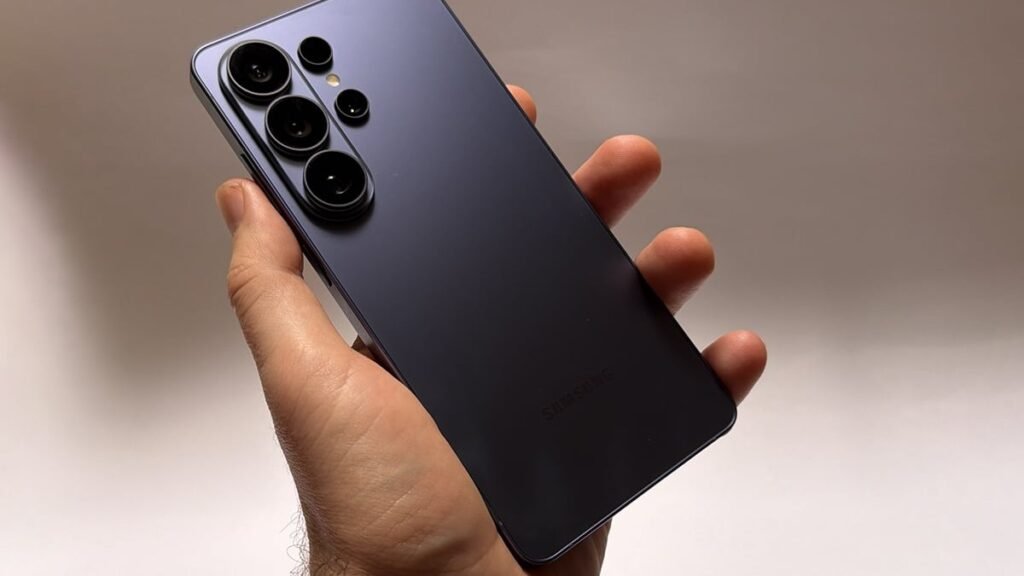
Samsung has opened the One UI 9.5 beta program for the Galaxy S26, S26+ and S26 Ultra, and the headline feature is one Galaxy owners have been asking for for years: App Lock — a native way to lock individual apps behind biometrics or your screen lock, no Secure Folder required.
According to 9to5Google, the beta opened on 18 November 2026 in six countries — Germany, India, Korea, Poland, the UK and the US — and owners can sign up through the Samsung Members app, then download the update from Settings > Software update. It is the first time Samsung has offered app-by-app locking built into One UI.
The Secure Folder workaround is finally dead
Until now, the only way to keep a nosy friend or a curious child out of a specific app on a Galaxy phone was Secure Folder: a walled-off second space that duplicated the app and its data, kept it in a separate drawer, and forced you to live in two versions of your phone at once. It worked, but it was clunky enough that most people never bothered.
App Lock ends that. Samsung’s Newsroom announcement says locked apps stay right where they belong — on the Home screen and in the app drawer — and a long-press on the icon adds them to the App Lock list. Once locked, an app opens only with your fingerprint, face, PIN, pattern or password. And the protection goes further than the lock screen: widgets belonging to locked apps are hidden, and their notification content stays hidden too, even when someone has your phone in their hands while it is unlocked.
The S26 Ultra gets a second privacy layer
The Galaxy S26 Ultra adds one more trick the base models do not get. GSMArena reports that Privacy Display — the screen technology that narrows the viewing angle so shoulder-surfers see a dimmed screen — can now switch on automatically whenever a locked app opens. The same automatic trigger covers private albums in the Gallery and locked Samsung Notes, so the most sensitive content on the phone gets a hardware-tied privacy shield without you having to toggle anything.
The honest beta warning
Before you rush to install it, the numbers are worth knowing. Early user reports, summarized by ghacks, say the download arrives in two parts: roughly 3.6 GB for the first update, then another ~540 MB after the phone restarts. Samsung warns that beta software can have rough edges and that testing can cause data loss. That is not boilerplate: back up your phone first, and do not install this on a device you rely on for work.
App Lock is not the only new arrival in One UI 9.5. The beta also brings enhanced Pro and Pro Video camera modes, medication tracking and mindful-note logs in Samsung Health, floating shortcuts, and hearing-aid controls in the notification panel.
Why this matters
The real story here is not that Samsung added app locking — it is that Samsung is years late to it. Google built app locking into Pixel phones with Android 17 QPR2, and it has long been standard on other Android handsets. Galaxy owners have been waiting while Samsung leaned on the Secure Folder workaround, and One UI 9.5 — still based on Android 17 — is the moment the company finally closes the gap.
That lateness is also the reason to watch what happens next. Samsung has given no date for the stable release; media expect it to debut on the Galaxy S27 series in early 2027 before reaching the S26 and older phones, with older Galaxies possibly following from around May on the pattern set by One UI 8.5 — but those are expectations, not Samsung announcements. If the beta holds up, the feature Galaxy owners asked for for years will finally be a standard part of the phone, not a workaround. The catch is the wait: S26 owners get to test it now, everyone else may be waiting well into next year.
Meanwhile in Mobiles: Samsung’s $15 Million Game-Throttling Fine: The 2022 Galaxy Scandal That Wouldn’t Die
Meanwhile in Mobiles: Samsung Is Making 20% Fewer Galaxy A Phones