Google has fixed the most embarrassing gap in its new laptop platform. The company confirmed last week that its Better Together cross-device features are finally rolling out to Samsung Galaxy phones running One UI 9, based on Android 17 — ending a launch-week snub that left owners of Android’s biggest phone brand locked out of Googlebook’s headline feature.
The update, announced October 10 and confirmed by Google community specialist Mishaal Rahman on Reddit, brings app casting, notification sync, file access, and cross-device task continuity to Galaxy phones. It lands barely a week after Googlebook laptops hit shelves — much faster than the “coming weeks” timeline Google originally promised.
The Launch Gap That Shouldn’t Have Existed
Googlebook’s entire pitch is that your phone and laptop work as one machine. So when the laptops went on sale earlier this month, the missing Samsung support was more than a bug — it was the platform’s core promise failing for the largest group of Android buyers. Pixel, Xiaomi, OnePlus, and Motorola owners got in; Galaxy phones could see the laptop but, as SamMobile reports, couldn’t hold the connection.
The frustration was loud enough to reach Reddit, where one user reportedly returned their Googlebook after discovering it wouldn’t pair with their Galaxy Z Fold 8. Google’s fix arrived in about a week — a turnaround fast enough to suggest the company knew exactly what was broken.
What Galaxy Owners Actually Get
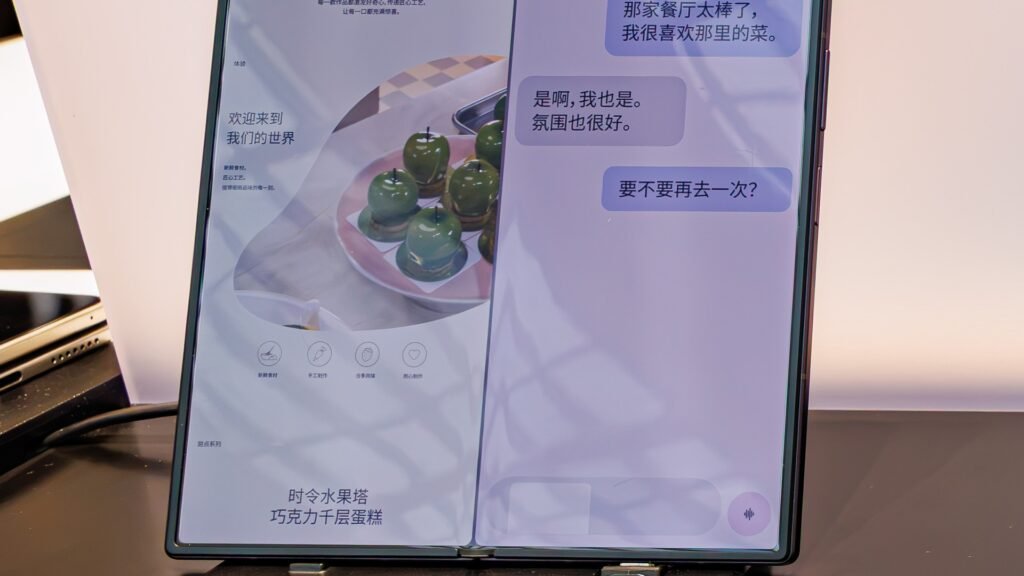
Four Better Together features are coming to Galaxy phones, according to TechRepublic. Continue On lets you start something on your phone and pick it up on the laptop through a taskbar suggestion. Cast My Apps runs compatible phone apps in a window on the Googlebook, controlled by the laptop’s keyboard and trackpad. Quick Access puts your Galaxy’s files in the laptop’s Files app for browsing and moving. And Notification Sync mirrors phone alerts on the laptop and lets you reply from there — it’s off by default.
The same update also smooths out first-time setup: fewer steps, plus a fix for the bug that left the pairing QR code stuck on screen after setup completed.
Your Setup Checklist
The rollout is automatic over the next few days — fastest on Wi-Fi and charging — but you can force the issue by verifying a few things. First: your phone must run One UI 9.0, based on Android 17. Older Galaxy phones don’t qualify, full stop. Second: Google Play services at version 26.37 or higher. Third: Cross-device services at version 1.0.1346 or higher. Fourth: Bluetooth and Wi-Fi on, the same personal Google Account on both devices, and a home Wi-Fi network — public networks, VPNs, and DNS blockers can all break pairing.
Why this matters
Here’s the angle the commodity coverage skips: read the fine print before you buy. Better Together is Googlebook’s single biggest selling point, and for the first week of its existence it didn’t work with the most popular Android phone brand in America. Anyone shopping a Googlebook this holiday season should verify their exact Galaxy model has One UI 9 — it hasn’t reached Samsung’s whole lineup yet.
There’s also a conspicuous gap in what Samsung gets. Google’s four features don’t include Instant Hotspot, which lets a Googlebook use the phone’s mobile data without typing a password, or Do Not Disturb sync — both available to other Android 17 phones. And Samsung itself is reportedly working on Android-based Galaxy Book laptops; SamMobile exclusively reported the company has multiple models in the works, including an unannounced Snapdragon X Elite machine running Android 17. If Samsung ships its own Googlebook, today’s compatibility scramble starts to look like a dress rehearsal.
Meanwhile in Gadgets: Samsung’s intelligent eyewear is coming in November — the Galaxy ecosystem keeps expanding.
Meanwhile in Apps & Tools: Android’s new developer verification rules took effect September 30.